How to Record Business Phone Calls
Posted on:
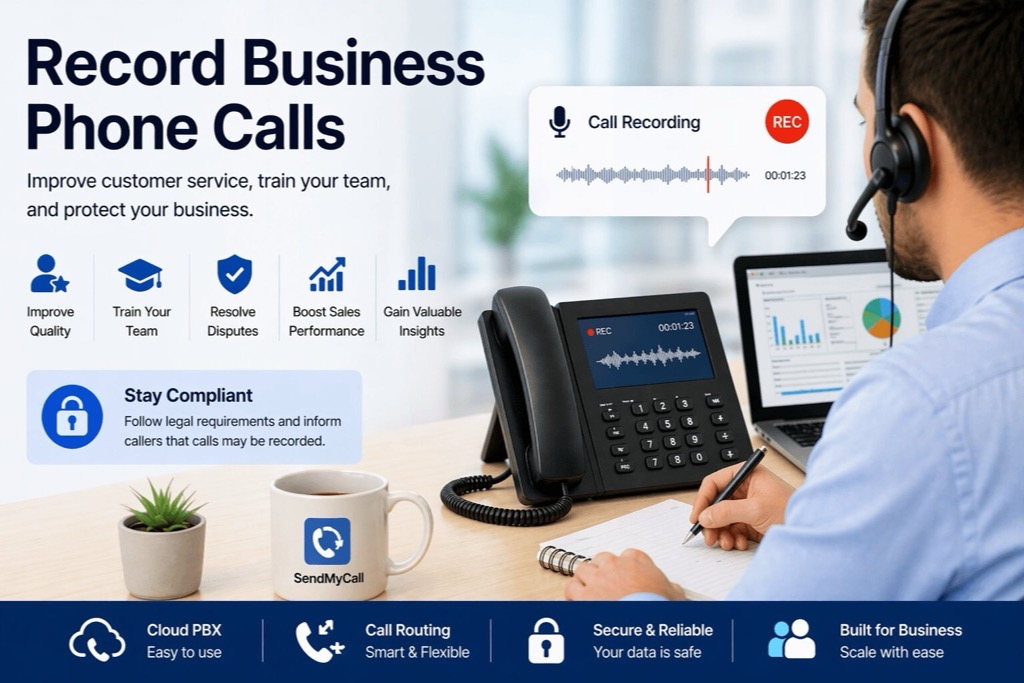
Recording business phone calls is often viewed as a technical task, but it is actually one of the most useful tools a business can use to improve service, train employees, and protect important conversations.
Whether you need to verify a complex order, train a new support agent, or resolve a customer misunderstanding, call recording gives your business a clear record of what was discussed. However, call recording must be handled properly and in compliance with applicable laws.
In this guide, we explain why businesses record phone calls, how call recording works, and how to use it responsibly.
Why Businesses Record Phone Calls
Call recording is not just about keeping archives. It helps businesses learn from real conversations and improve the way they communicate with customers.
Businesses use call recording for:
- Quality assurance: Review real calls to understand where your team performs well and where improvement is needed.
- Training and onboarding: Let new employees learn from successful sales, support, and customer service calls.
- Dispute resolution: Keep an accurate record of conversations involving pricing, agreements, instructions, or order details.
- Sales improvement: Identify where conversations lose momentum and improve your scripts or process.
- Operational insight: Spot recurring customer questions, complaints, or service issues before they become bigger problems.
For many businesses, recorded calls become a valuable source of training, accountability, and customer service improvement.
The Legal Side of Call Recording
Call recording is a powerful business tool, but it is also subject to privacy and consent laws. These rules vary depending on where your business is located and where your callers are located.
Important: This information is for educational purposes only and does not constitute legal advice. Call recording laws may vary by country, state, or region. Always consult with legal counsel to make sure your specific setup follows applicable local and international regulations.
One-Party vs. Two-Party Consent
When recording phone calls, businesses commonly encounter two types of consent requirements:
- One-party consent: Only one person on the call needs to be aware of and consent to the recording.
- Two-party or all-party consent: All participants on the call must be informed and may need to consent before recording begins.
Because requirements can vary, the safest approach for many businesses is to notify callers before recording starts.
Best Practices for Call Recording Compliance
To reduce compliance risk and maintain customer trust, businesses should follow clear call recording practices.
- Inform callers: Use an automated announcement or IVR message, such as “This call may be recorded for quality assurance purposes.”
- Be transparent: Clearly explain why calls may be recorded.
- Limit access: Allow only authorized users to access call recordings.
- Store recordings securely: Keep recordings in a protected system with proper access controls.
- Check local requirements: Review the laws that apply to your business and your callers.
A clear and transparent process helps your business use call recording professionally and responsibly.
How to Record Business Phone Calls
There are several ways to record business phone calls, but not all methods offer the same reliability, security, or ease of use.
1. Use a Cloud-Based Business Phone System
The easiest and most effective way to record business phone calls is to use a cloud-based phone system with built-in call recording.
With this setup, recording is handled directly inside your phone system, instead of relying on separate apps or external devices.
This method is recommended because:
- Recording can be automated
- Recordings are stored in one central location
- Users can access recordings online
- Call flows and recording announcements can be managed together
- No additional hardware is required
For modern businesses, a cloud PBX is usually the most scalable and manageable option.
2. Use Third-Party Recording Software
Some businesses use third-party apps or software to record calls. While this may work in certain cases, it can create problems if the tool is unreliable or not properly integrated with your phone system.
Possible issues include:
- Manual recording mistakes
- Limited storage control
- Unclear compliance handling
- Recordings stored outside your main business system
This option may be less suitable for businesses that need a professional and consistent process.
3. Use Hardware-Based Recording
Hardware-based call recording uses physical devices connected to phones or phone lines. This approach is less common today because it can be difficult to manage, scale, and access remotely.
For most growing businesses, cloud-based call recording is simpler and more flexible.
How Call Recording Works in a Cloud Phone System
In a cloud-based phone system, call recording is managed through the PBX platform.
A typical process looks like this:
- A customer places or receives a call
- The cloud PBX applies the call flow settings
- Recording starts automatically or based on your configuration
- The audio file sent to your email
This gives your business a more organized way to manage customer conversations and internal call review.
Why Businesses Choose SendMyCall for Call Recording
SendMyCall includes a free, fully featured cloud PBX with virtual phone numbers, giving businesses the tools they need to manage calls professionally.
With SendMyCall, your business can:
- Enable call recording for business calls
- Manage calls through an online dashboard
- Use IVR menus and call routing with recording settings
- Access recordings from anywhere
- Support remote teams and multiple users
- Combine virtual numbers with a complete cloud phone system
Instead of using separate tools, SendMyCall gives you virtual numbers, call routing, forwarding, and cloud PBX features in one place.
Call Recording for Growing Businesses
As your business grows, customer conversations become more important. A missed detail, unclear instruction, or unresolved dispute can cost time and money.
Call recording helps your business stay organized by giving your team a reliable way to review conversations, train staff, and improve the customer experience.
Whether you are a solo entrepreneur, small business, support team, or growing company, a cloud-based phone system with call recording can help you communicate more professionally.
Final Thoughts
Recording business phone calls is a valuable tool for improving communication, training your team, and protecting your business.
The easiest way to get started is by choosing a modern cloud-based phone system that includes call recording as part of the service. With the right setup, your business can capture important conversations, improve customer service, and manage calls more effectively.
If your current phone system does not support call recording, it may be time to upgrade to a more flexible business communication solution.
Frequently Asked Questions
Why should businesses record phone calls?
Businesses record phone calls to improve customer service, train employees, resolve disputes, verify important details, and review team performance.
Is it legal to record business phone calls?
Call recording laws vary by country, state, and region. Some areas require one-party consent, while others require all-party consent. Businesses should consult legal counsel before recording calls.
What is the best way to record business phone calls?
The most efficient way is to use a cloud-based business phone system with built-in call recording. This allows recordings to be managed securely from one online platform.
Should callers be informed that calls are recorded?
In many cases, it is best practice to inform callers with an automated message such as “This call may be recorded for quality assurance purposes.”
Does SendMyCall support business call recording?
Yes. SendMyCall includes cloud PBX features that help businesses manage calls, routing, and call recording from an online dashboard.