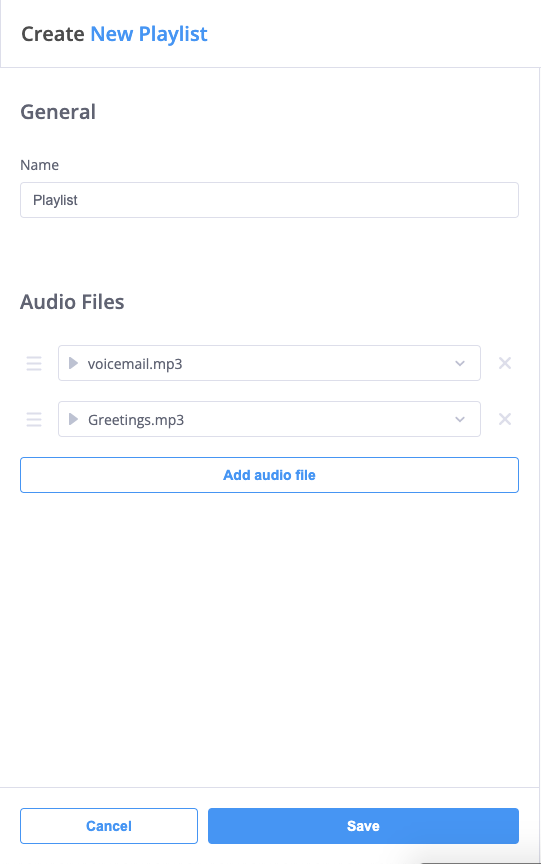
Playlists
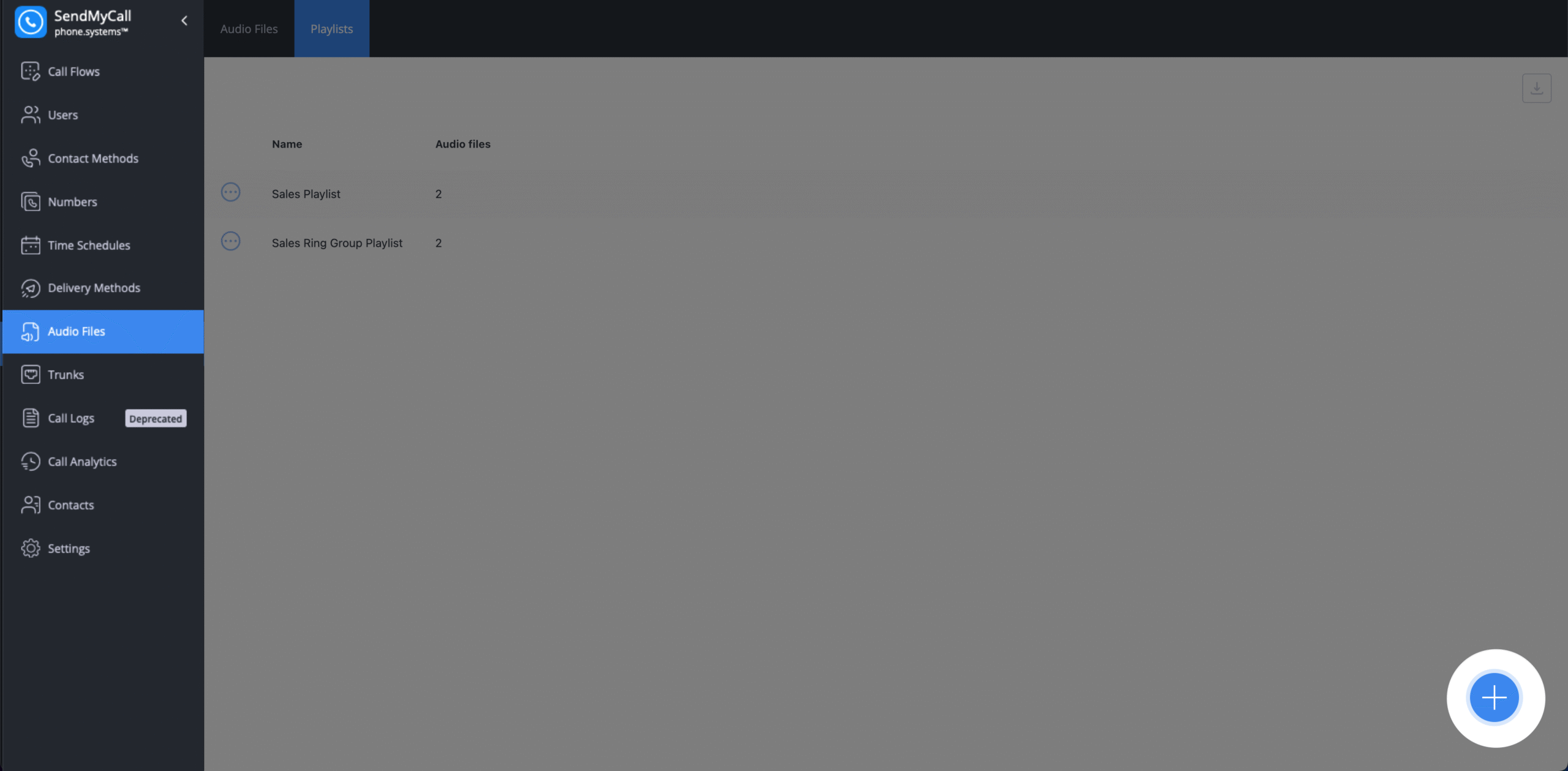
Step 1: To create a Playlist, go to the Playlists tab in the Audio Files menu.
Step 2: Click the  icon.
icon.
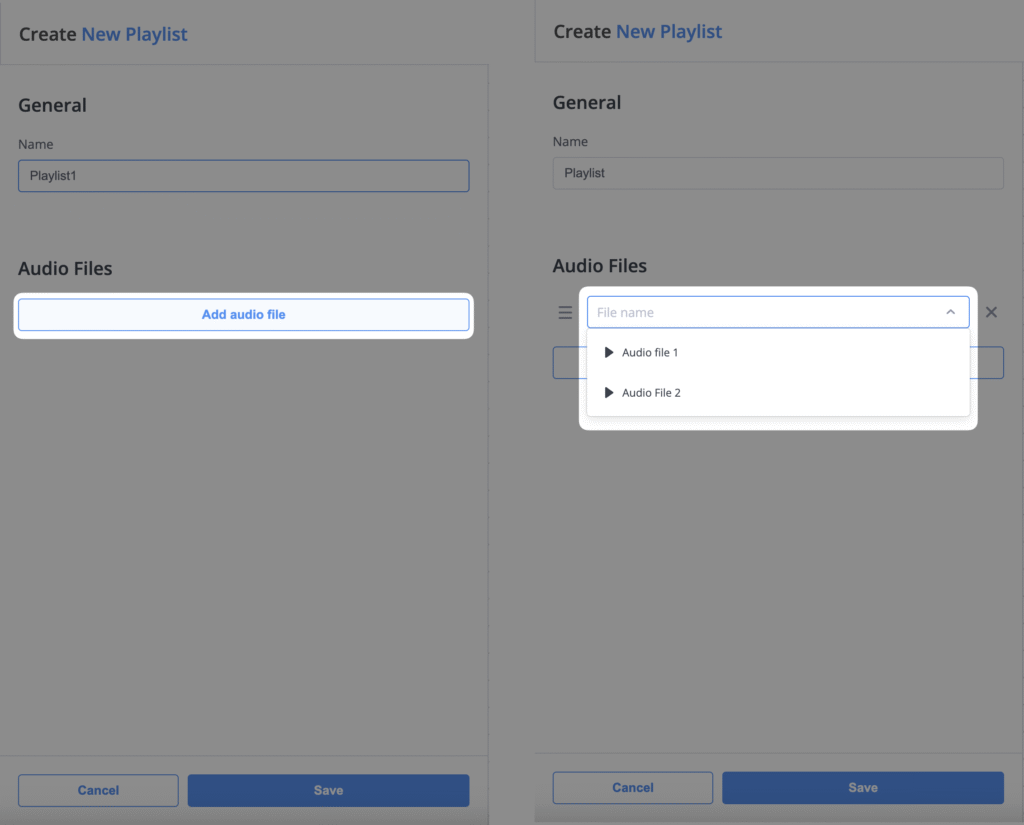
Step 3: Enter the playlist details.
- Select the name
- Add audio files
Step 4: Select the audio files you would like to add. Ensure that these files have already been created.
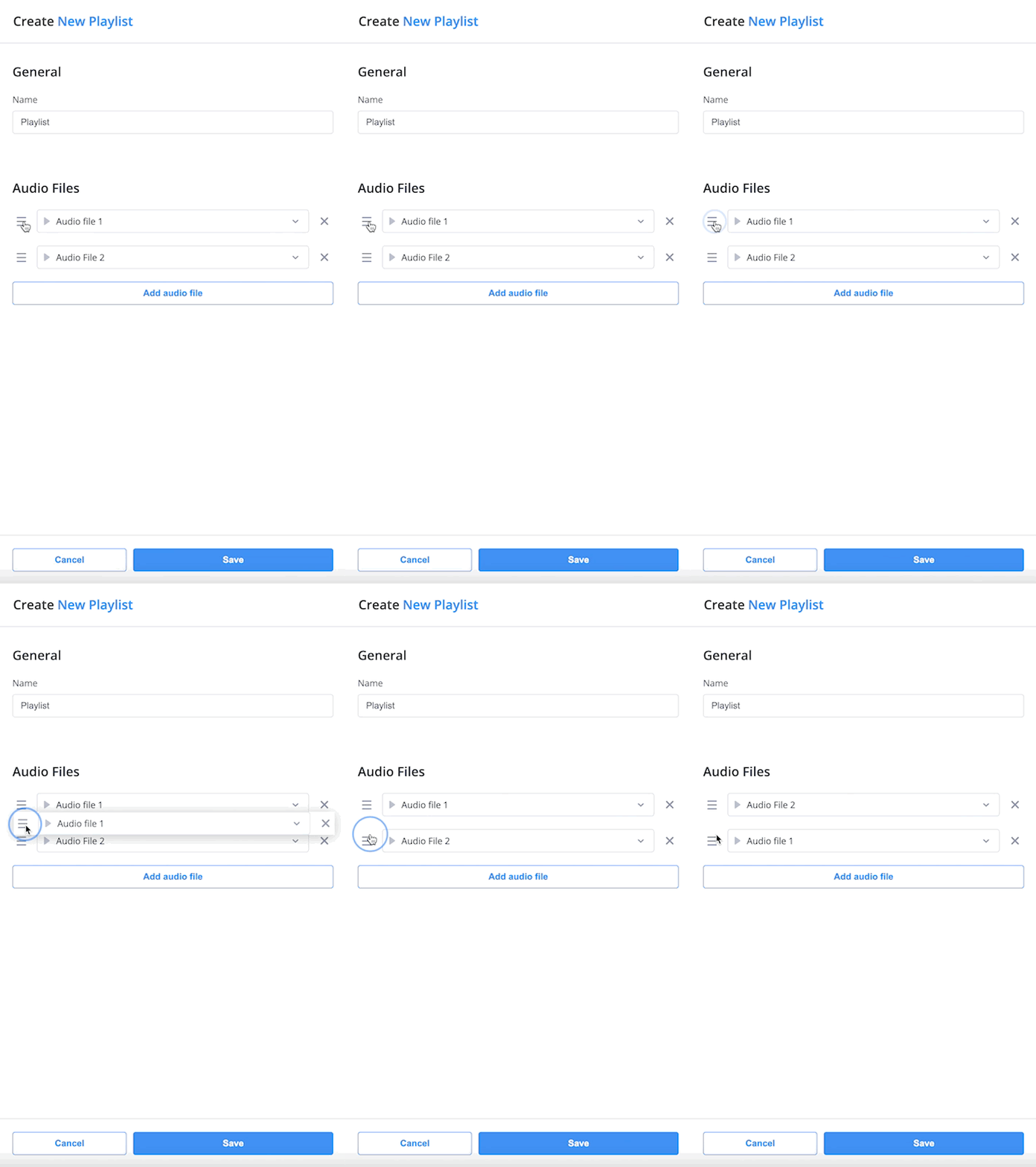
Step 5 (Optional): Arrange the priority of your files by dragging them up and down.
Step 6: Once all the desired audio files are added, click Save to finalize your playlist.